Skip to content
Chords365
  • Who it’s for
  • Features
  • Compare
  • FAQ
  • Manual
  • Dev blog
  • English
    • Magyar
    • English
    • Deutsch
    • Español
    • Português
    • Français
    • Polski
    • Română
  • Open App
Back to the blog

Projection dashboard and keyboard shortcuts
2026-07-21
Projection dashboard and keyboard shortcuts

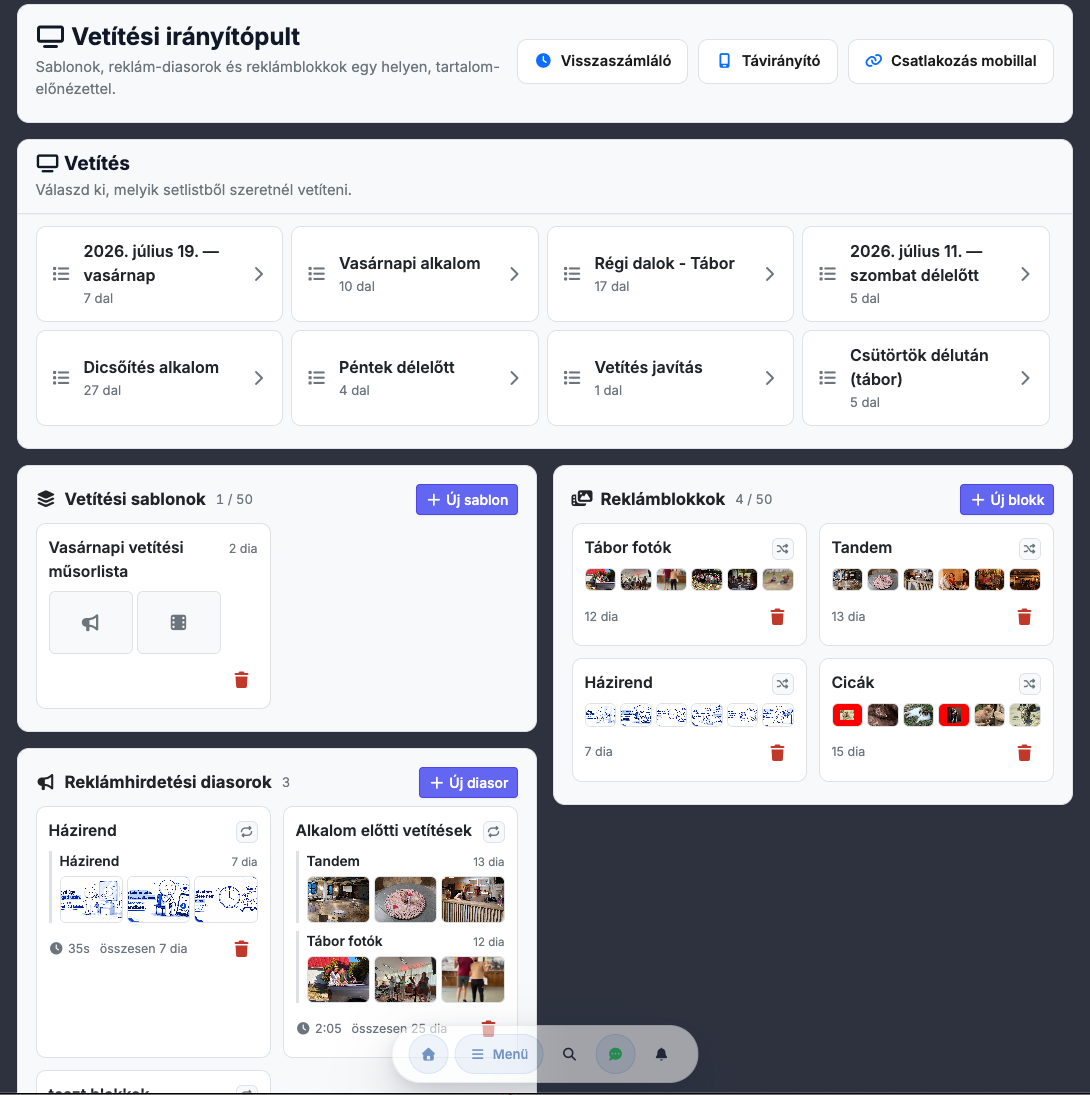
Starting projection has become far clearer: instead of the earlier bare setlist picker, a content-rich dashboard now greets you, where templates, promo slide sequences and blocks appear in one place with real previews, a full-width “Start” bar and offline-friendly, instant loading.

The control panel also gained keyboard shortcuts – adding and inserting a slide, start/project, font size, hiding text, blackout, timer, screens and the active logo – and the current mapping is shown at the bottom of the page. They don't fire while you're typing in a text field, so you can use them freely during an occasion.

Back to the blog
Chords365

Music platform for music teams: songs, setlists, events, offline PWA and projection

Contact

  • [email protected]
  • Follow us on Facebook
  • Support
  • Privacy policy
  • Terms of service
  • IT & security

App

  • Open App
  • Features
  • Manual
  • Dev blog
  • FAQ
Who it’s for Worship teams Bands Music teachers Choirs Projection

© 2026 Chords365 For music teams, with love.