Features

Every feature, in one workflow

From the song through the sheet image, the audio, the setlist, the projection and group life — see what Chords365 can do, at your own pace.

Clear on a big screen, brilliant on a tablet

The most important screens aren't separate worlds: the song, the setlist, the notes, the projection and team collaboration all build on each other.

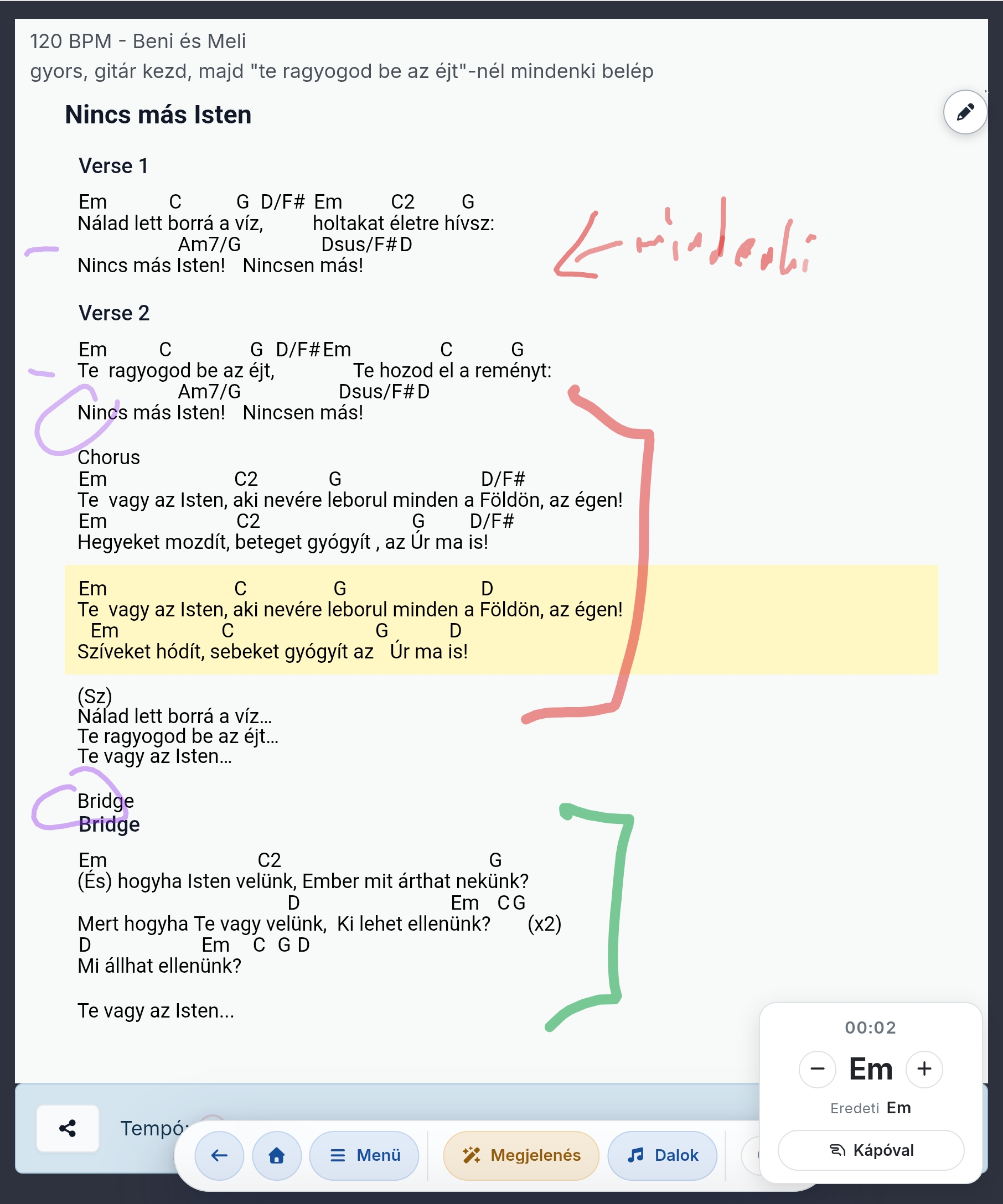
Songs and chords

ChordPro foundation, flexible notation

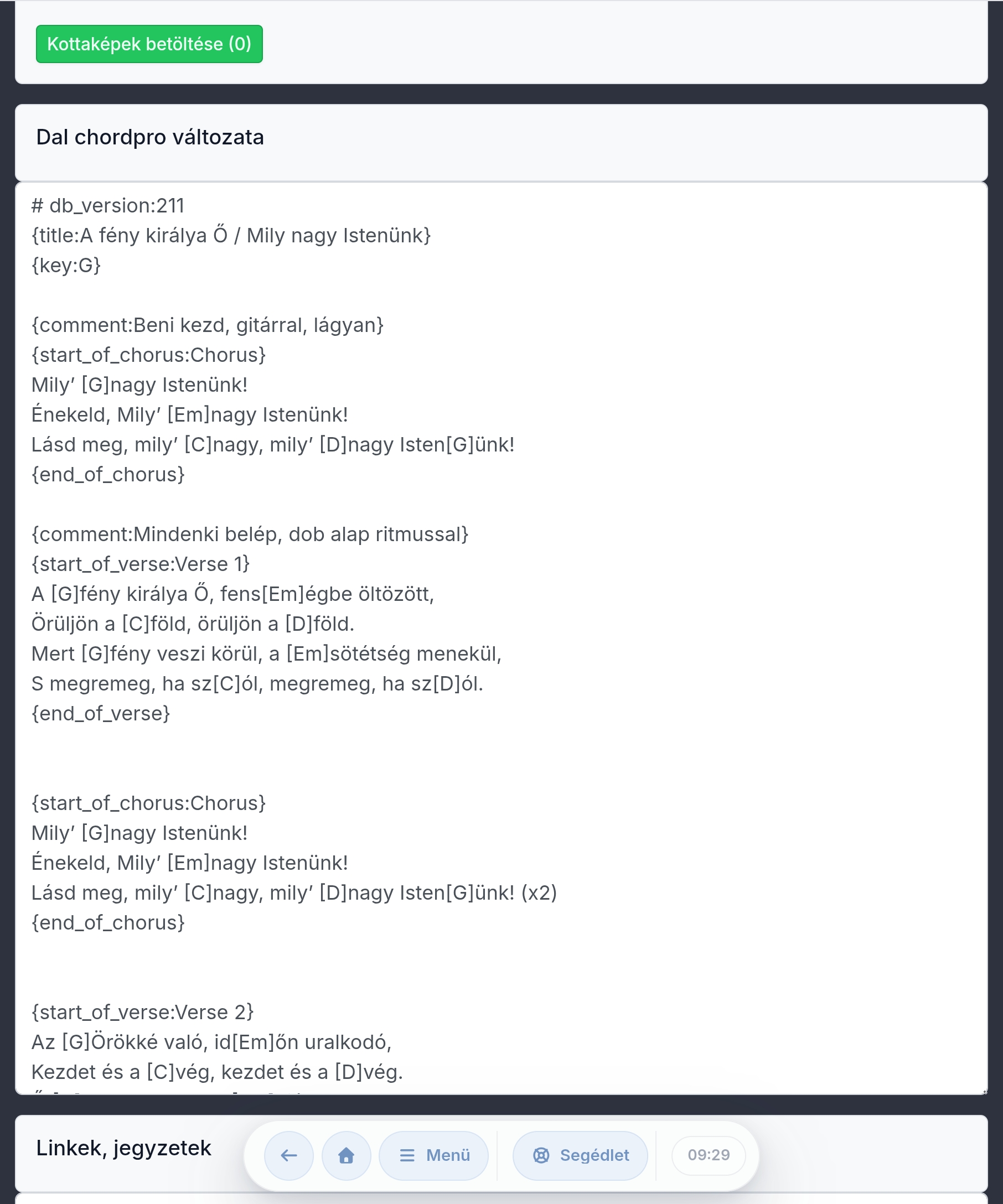
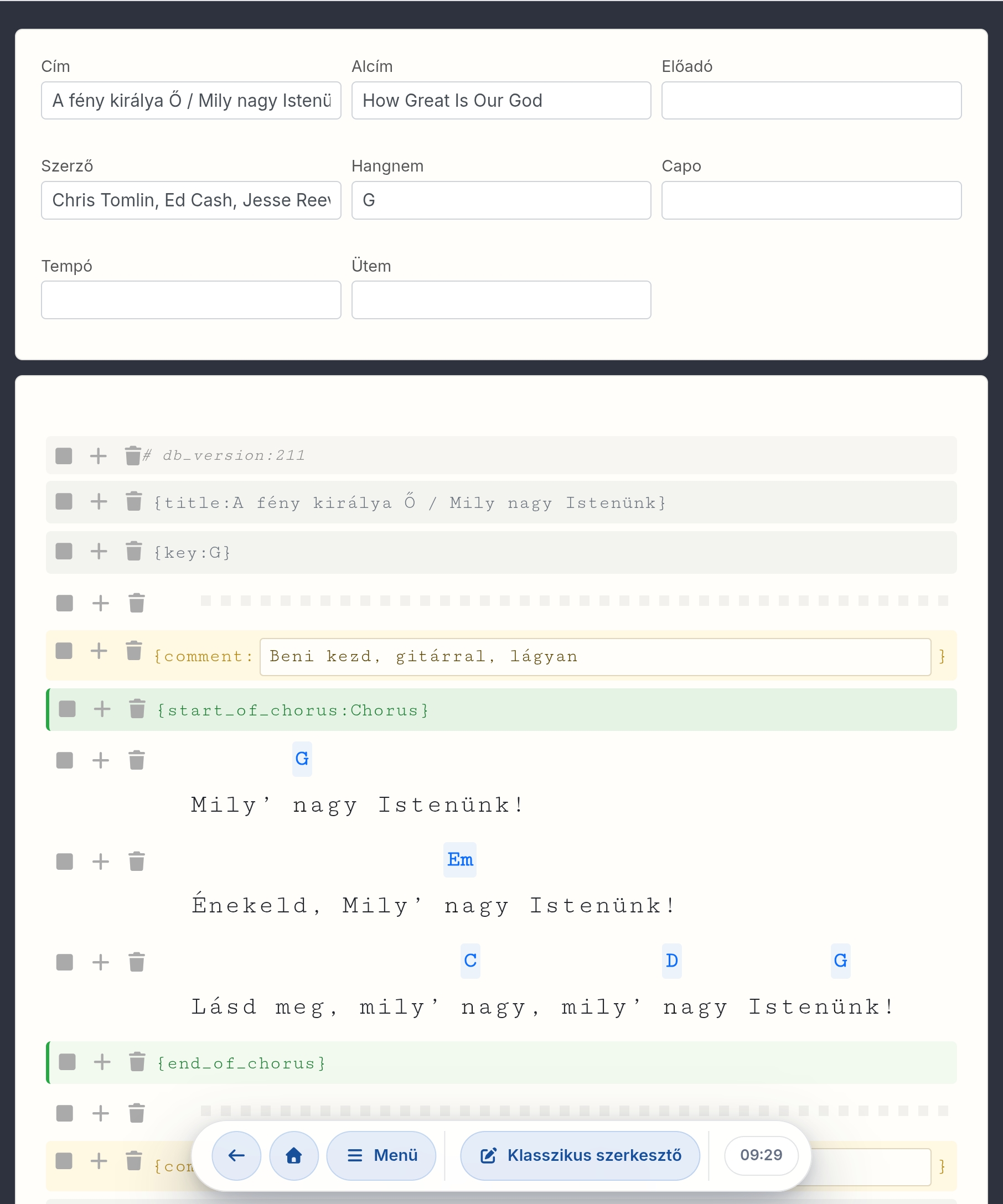
You can edit songs as clean ChordPro text or in WYSIWYG mode, while the source stays compatible in the background. The biggest advantage: transpose any song to any key with a single button — the chords follow automatically — while the interface shows H or B chord names, per user.

  • H/B toggle that persists across devices.
  • Automatic transposing with one button, original key, capo-fix and per-setlist saved key.
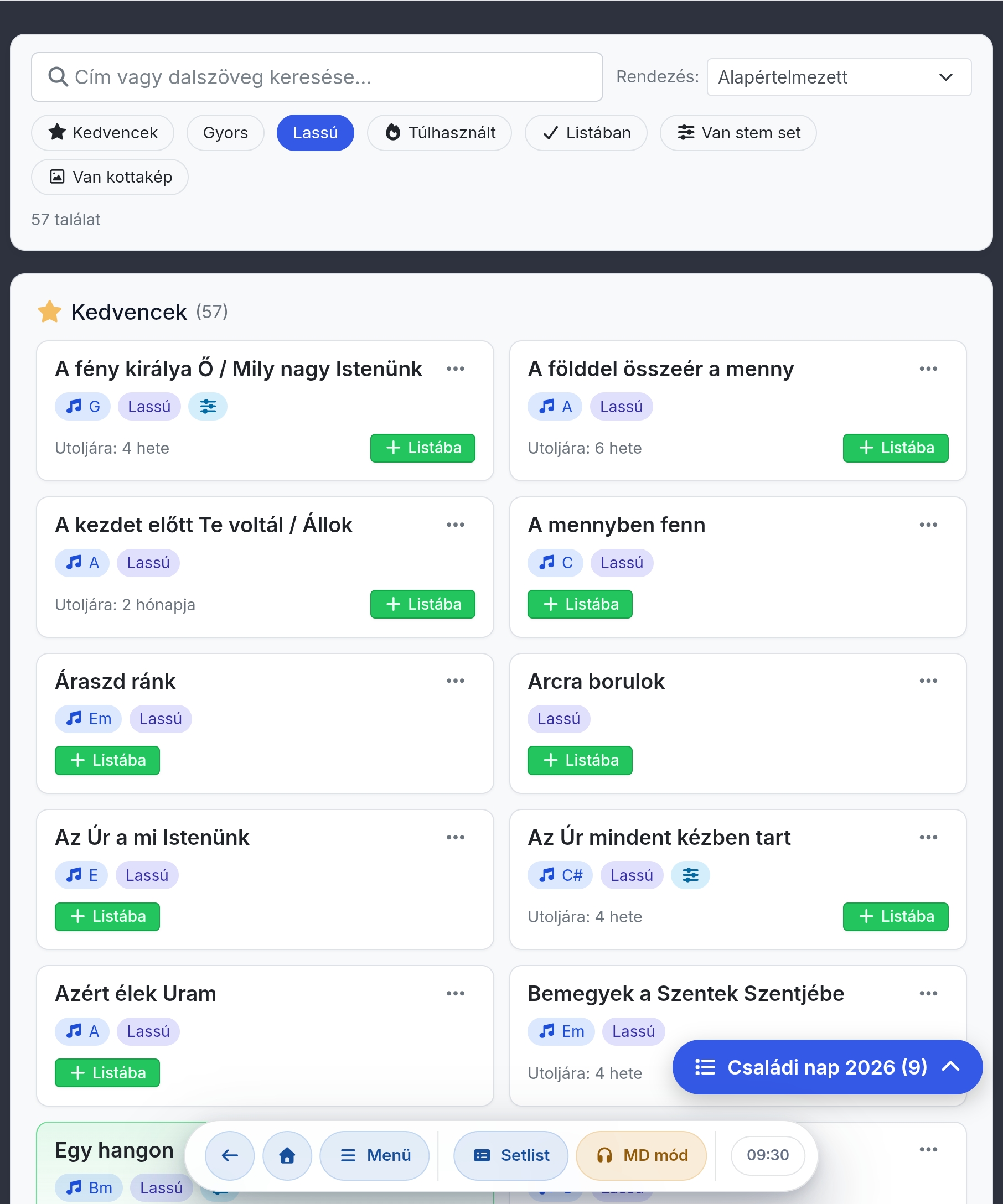
  • Search, favorites, ZIP import/export and lyrics download.
Setlist and MD mode

The leader directs, the team follows

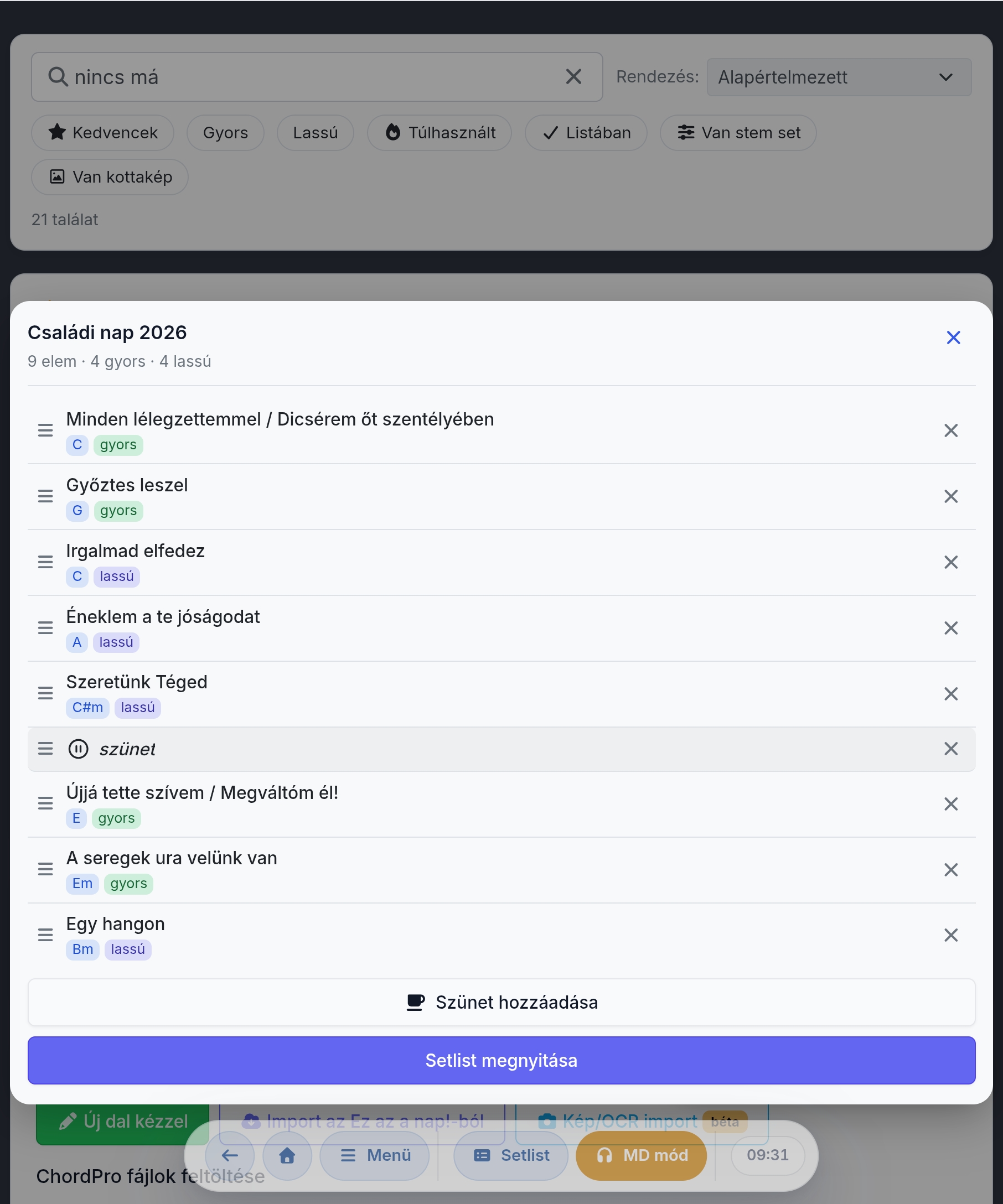
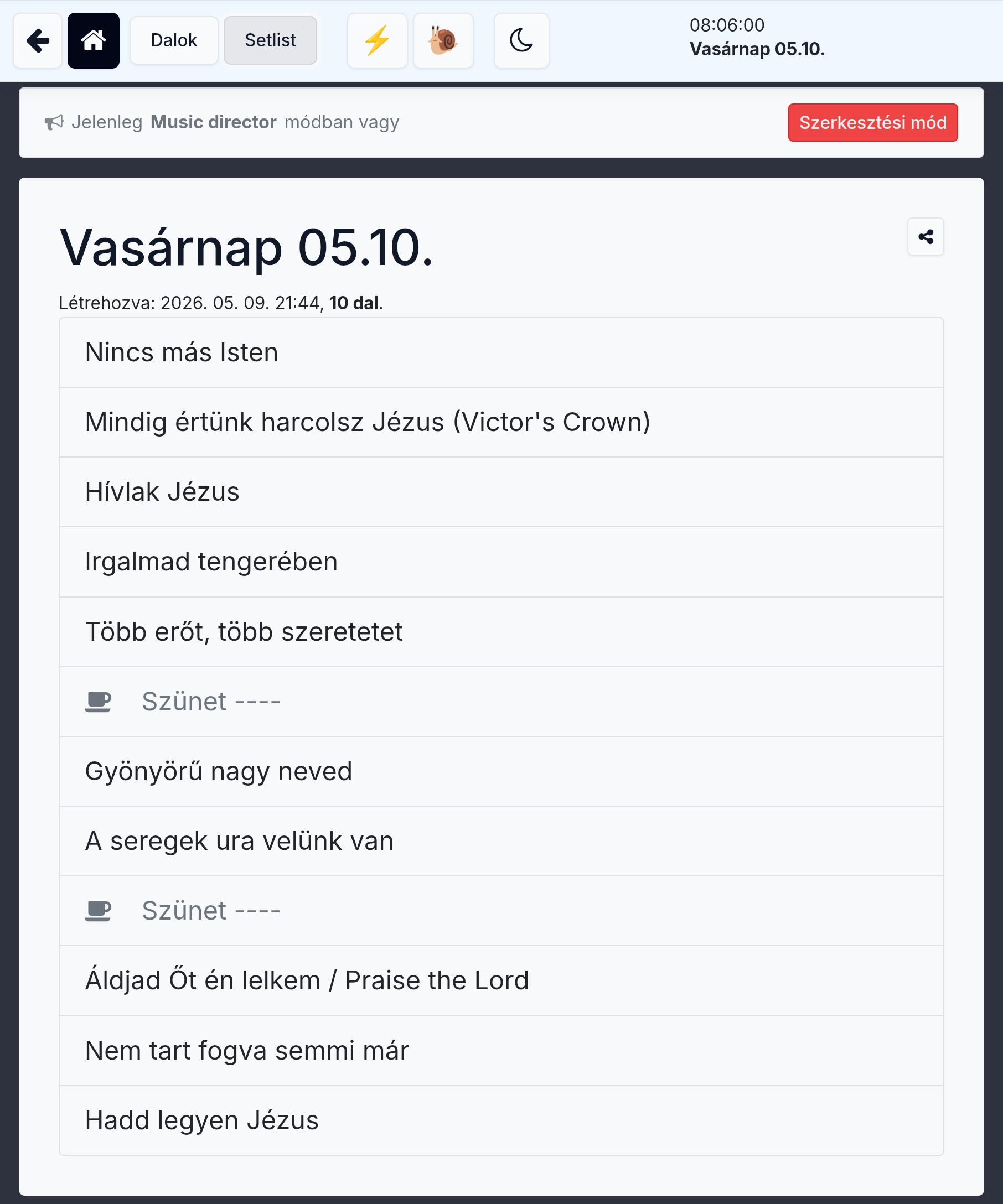
The setlist is a live shared workspace. The band leader sets the order, marks breaks, switches songs, and can send commands to everyone else's screen.

  • Drag-and-drop ordering, break rows, quick jump to a song.
  • MD following: the leader's song change appears on followers' screens too.
  • Large overlay: Stop, Continue, Return, End.
Offline-first web application

Network drops, but the song goes on

Opened songs, setlists and edits live locally too. The app doesn't discard your work: it records offline and syncs when connected.

  • Once you've opened it, the content is yours.
  • Text and drawings are both stored on your device.
  • Built with the most modern technologies available.
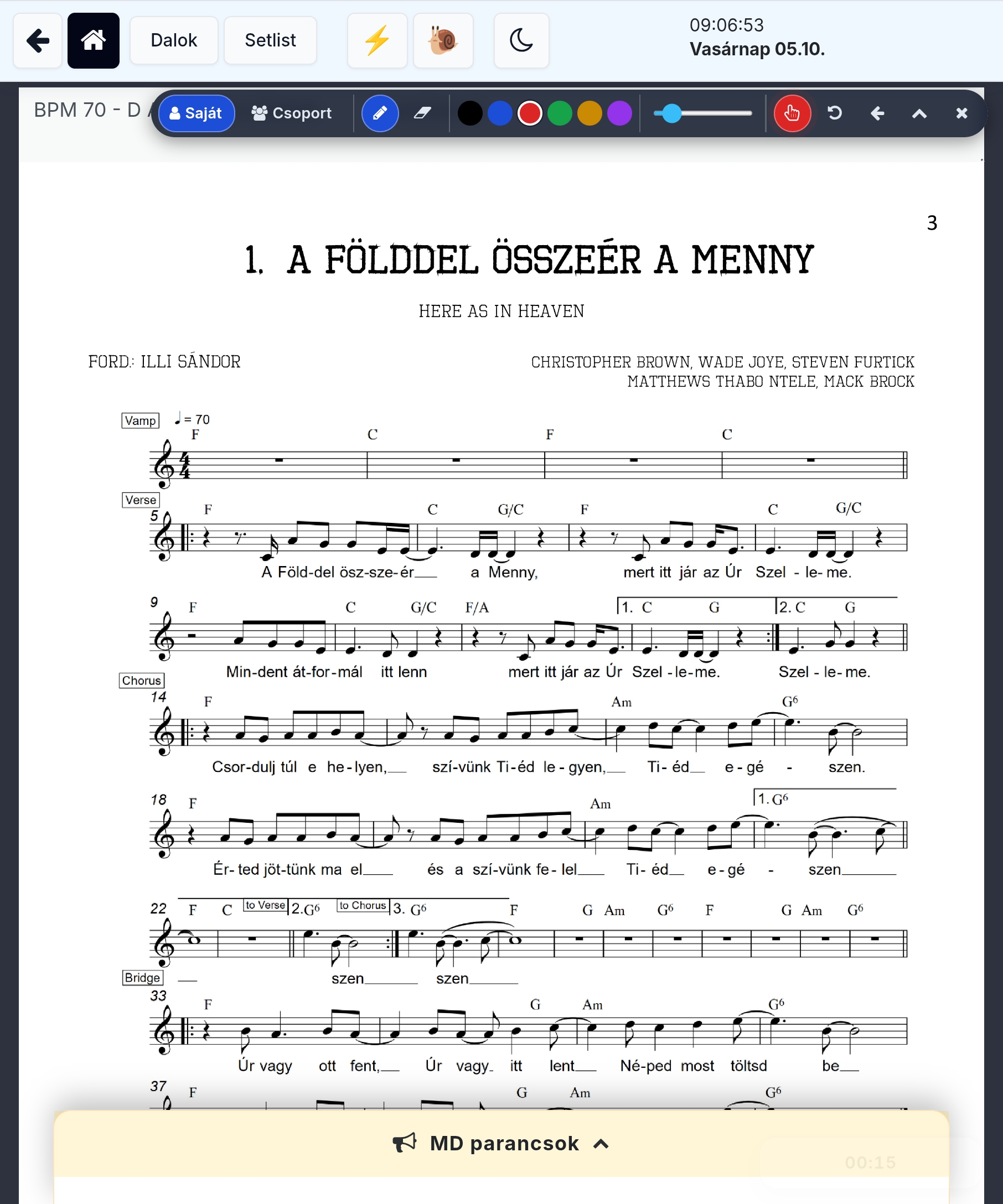
Sheet music image and drawing

Chords and classic sheet music — side by side

You don't have to choose: alongside the chord view, any number of classic five-line sheet images can belong to the same song — in several parallel sets you switch between with a single touch. The sheet music fits the screen width, and you can draw on any page; personal and group annotations are handled separately.

  • A song can have several sheet image sets — switch between them with the version pills.
  • Pencil, eraser, colors, line thickness, finger and stylus drawing on any page.
  • Works offline too, for uninterrupted note-taking.
Stage control

Readable, scrollable, non-blinding

In live settings, small details matter: dark mode, large text, pedal, screen keep-awake and easy navigation.

  • Bluetooth HID pedal profiles: classic, AirTurn, BT PageFlip and custom mapping.
  • Dark mode, font size, chord and text color settings.
  • Metronome, BPM and beat sound for practice.
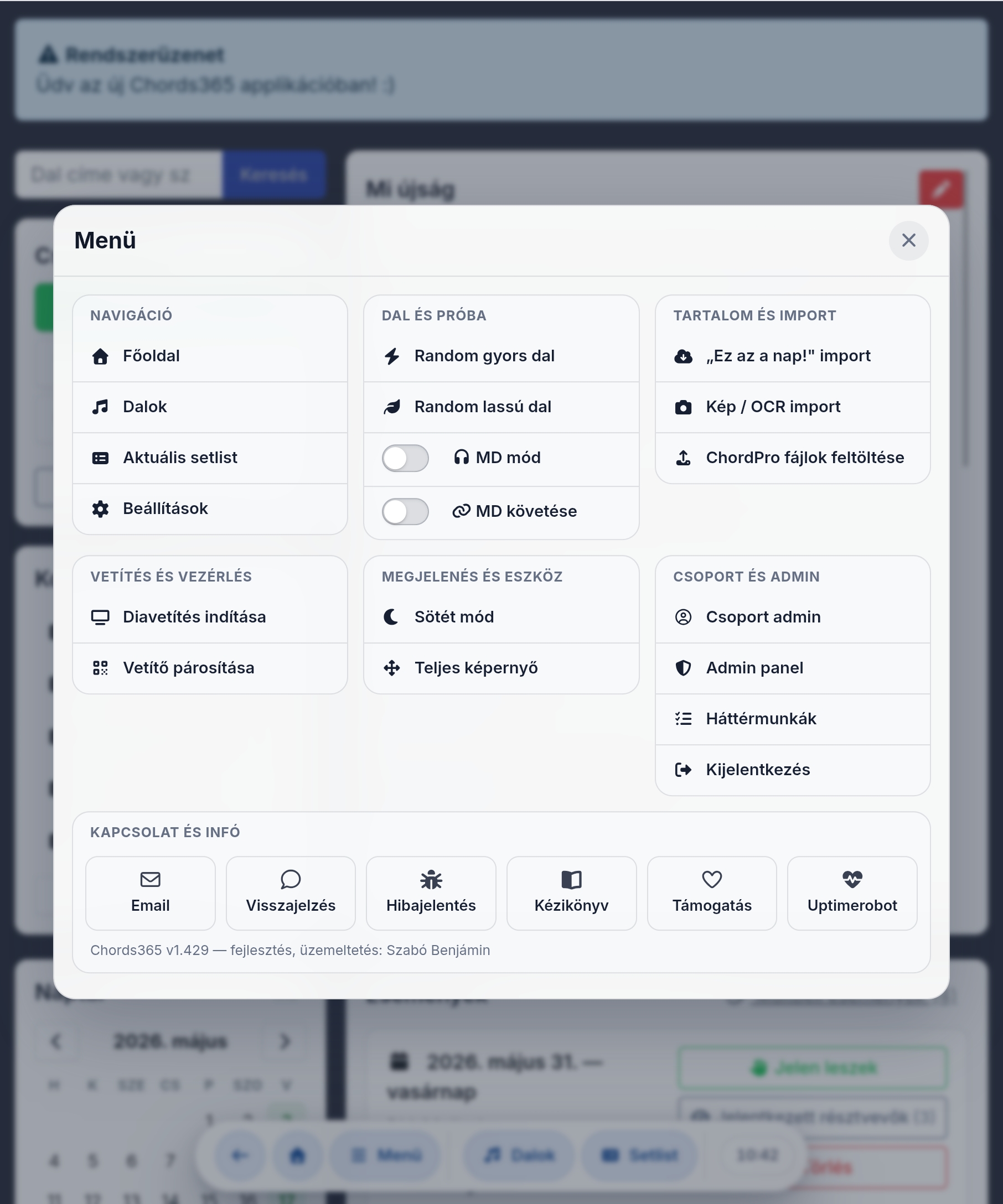
Central menu

Every feature reachable from one menu

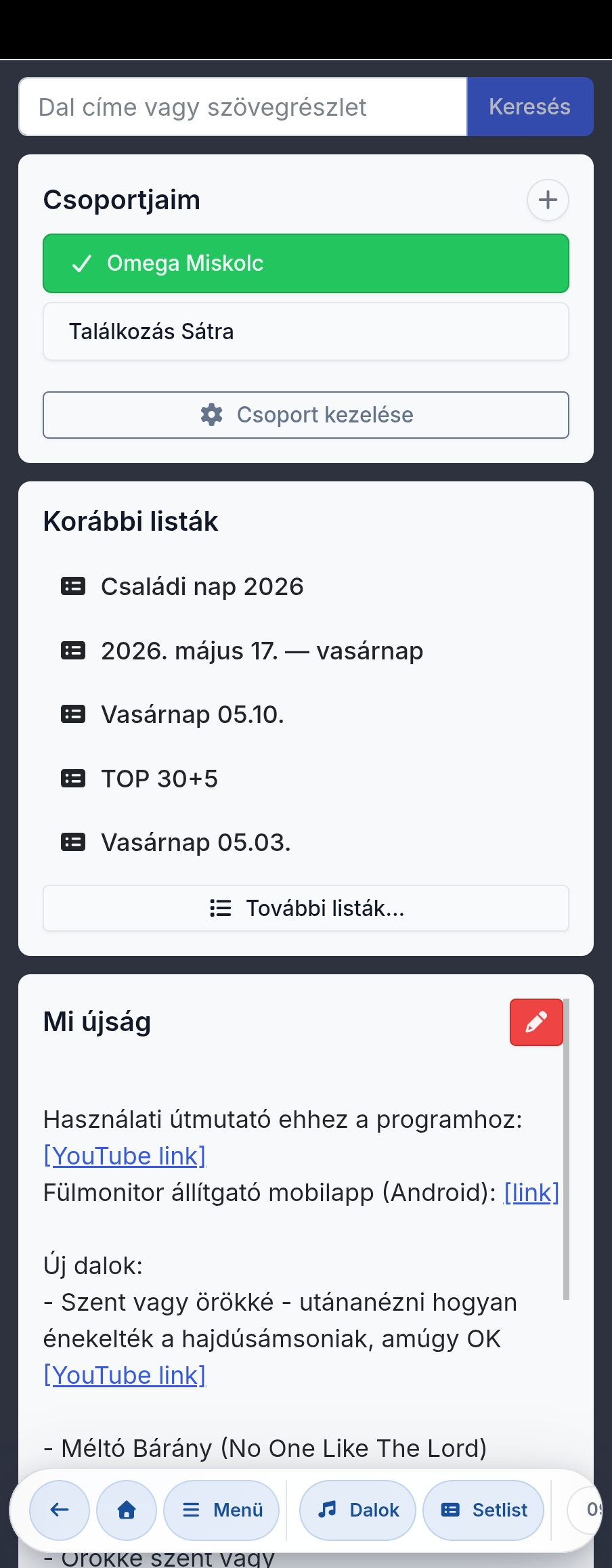
The main menu organizes all app features into themed groups: navigation, song and rehearsal, content and import, projection and control, appearance and device, group and admin.

  • Random fast or slow song with one button — for warming up or starting rehearsal.
  • One tap for MD mode, MD following, light/dark and full screen.
  • Manual, feedback, bug report and support directly from the bottom of the menu.
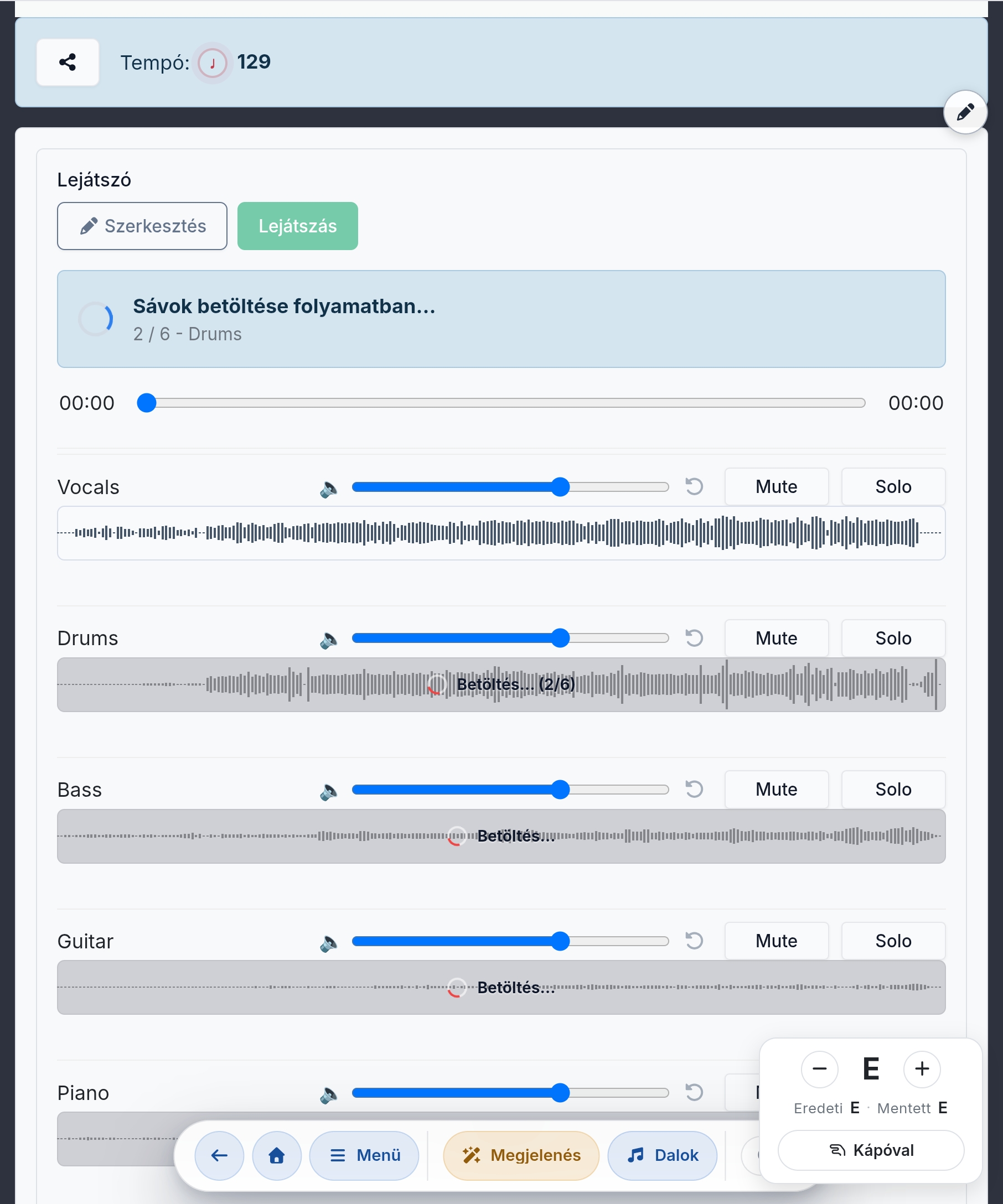
Stem sets and multitrack

Separate tracks, one shared rehearsal

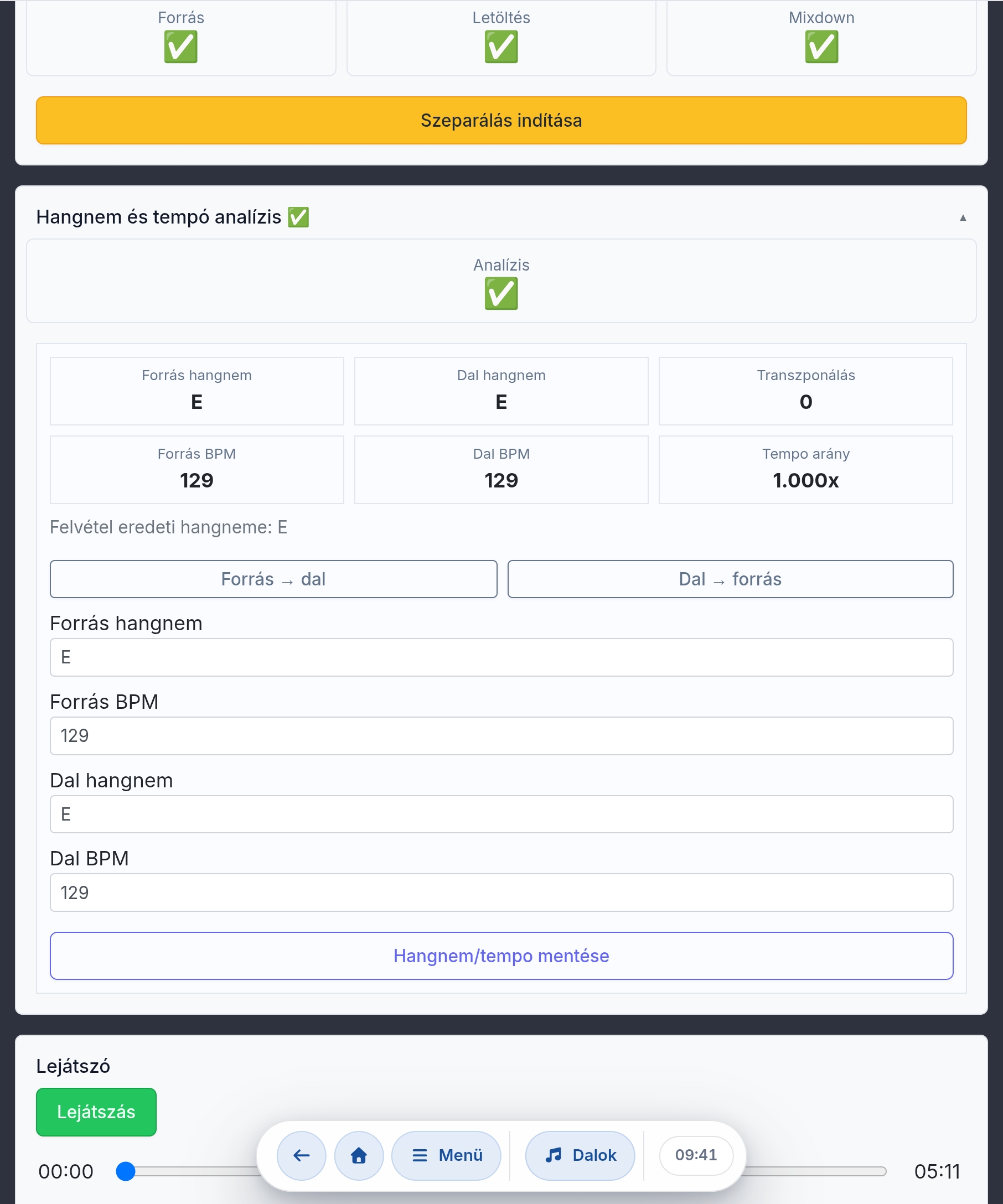
A song can have multiple stem sets: drums, bass, guitar, keys, vocals, click or guide. In the multitrack view all tracks start together and can be mixed individually.

  • Per-track volume, Mute/Solo, waveform and shared seek/playback.
  • Stem set selection, track upload and full mix upload or YouTube source.
  • AI-powered stem separation from a full mix into individual instruments.
  • Separation, key and BPM analysis prepared for practice.
Projection and group life

The app doesn't end at the song page

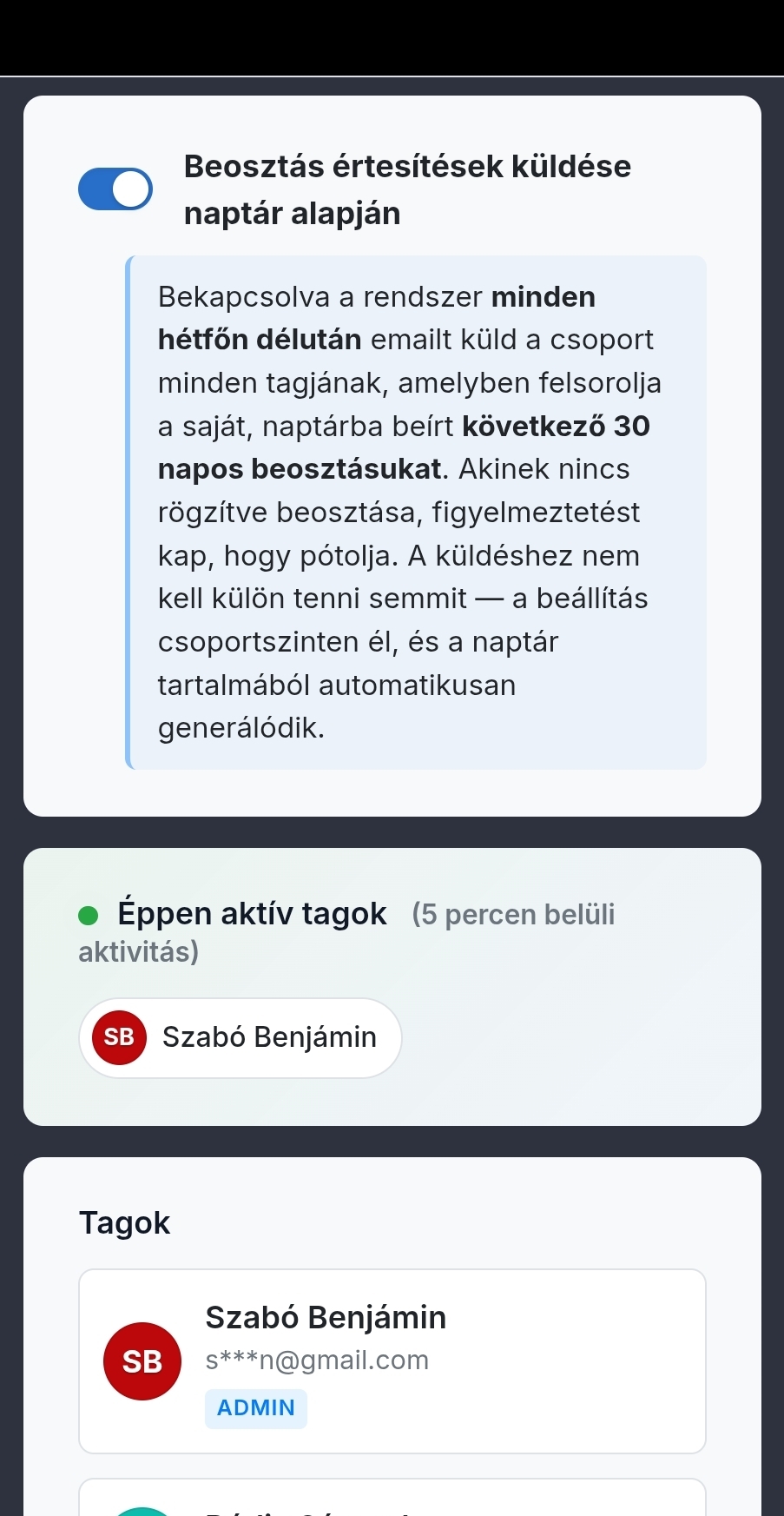
Lyrics can be projected in a separate slideshow view — with a background, logo and formatted text — and a remote projector can be paired with a QR code. In a simpler, campfire-style setting, projection mode can even replace dedicated projection software: a phone or laptop is enough. The group administrator keeps the team in order with invitations, events and broadcast messages.

  • Slideshow with background, logo, text formatting and fullscreen mode.
  • At a campfire or a small gathering, projection mode replaces dedicated projection software.
  • Event list, mini calendar, attendance marking, broadcast messages and admin notes.
Search the internet — many sources beta

One search, many public song libraries — with merged results

A single search box queries many public song libraries at once — Hungarian and international, with chords, sheet music or lyrics only. When the same song appears in several places it shows as one merged row with source tags; on import you choose which source and form to bring in.

  • One search across many public sources: chords, sheet music and lyrics-only, Hungarian and international.
  • Same song from several sources → one merged row with source tags and content badges (Chords / Sheet / Lyrics only).
  • "Choose a version": on import you decide which source and form (chords, sheet or lyrics) to bring in.
  • chords365.com stores and copies nothing — the download happens on your click, and you are responsible for usage rights.
Image/OCR import beta

Photograph the chart, Chords365 recognizes it

You can photograph a paper chord chart or lyrics sheet with your phone, or upload an image. The backend reads it with Tesseract OCR; Hungarian chord conventions are normalized by the same engine as the Ez az a nap! import — just from a different source.

  • Mobile-friendly image input: the button can open the rear camera directly.
  • Client-side Cropper.js for rotation, cropping, contrast adjustment before OCR.
  • Tesseract with Hungarian + English model; the image never leaves our server during processing.
  • The original image is not stored; you can edit the ChordPro draft before saving.

No flashy extras

Chords365's greatest strength is pulling everything into one workflow — from the song through the sheet image, the audio, the setlist, projection and group life: import, search, practice, multitrack, sync and offline.

Songs and ChordPro

Edit in ChordPro or WYSIWYG, H/B reading, automatic transposing, capo and per-setlist saved key.

Sheet images and drawing

Several classic sheet image sets per song, fitted to the screen; draw with pencil or stylus, with separate personal and group annotations.

Import and integrations

ChordPro and ZIP import/export, image/OCR for photographed charts, and internet search across several public song libraries with merged results.

Audio and stems

Audio recordings and stem sets per song — even from YouTube — with AI separation, to make learning easier.

Multitrack

Per-track volume, Mute/Solo, waveform, shared playback, key and tempo analysis.

Setlist and MD mode

Shared drag-and-drop ordering, break rows, live Music Director following and stage commands.

Projection

Slideshow with background and logo, remote projector with QR pairing; in a campfire setting it even replaces dedicated projection software. A full projection app — alongside ProPresenter and OpenLP

Group

Invitation link, approval-based joining, permissions, broadcast messages, shared events and media library.

Stage and device

Dark mode, large text, Bluetooth pedal, screen keep-awake, metronome and BPM.

Offline and platform

Offline-first PWA: opened content lives locally, and it runs on every device — phone, tablet, laptop.

Try it at your next rehearsal

One group, a few songs, one setlist — that's enough for the first real experience.

Open Chords365